
Outsourcing medical billing should improve practice cash flow, not force your clinical staff to learn an entirely new software platform. When practice owners evaluate third-party billing services, sales representatives frequently claim their team "supports" or "integrates with" whichever software system the practice currently uses.
However, that single phrase covers everything from automated application programming interfaces (APIs) to manual data re-entry. Understanding what medical billing EHR integration actually means allows medical group administrators to select a vendor that fits their clinical workflows while protecting practice data.
What "Supports Your EHR" Really Means
When evaluating an EHR compatible medical billing service, practice managers must ask how billing staff will interact with clinical records. The technical connection between an EHR, Practice Management (PM) software, and external billers generally falls into four operational levels.
|
Level |
How It Works |
What the Biller Can Do |
Primary Risk |
Essential Question to Ask |
|
1. Direct EHR/PM System Access |
You issue direct user credentials; billers work inside your existing software platform. |
Charge review, claim scrubbing, electronic filing, payment posting, and denial management in your PM. |
Access control management and audit log tracking. |
Who creates, manages, and revokes external user accounts? |
|
2. Clearinghouse-Connected |
Claims and Electronic Remittance Advice (ERA) flow via an intermediary clearinghouse using HIPAA standard transactions. |
Submit ASC X12 837P claims, process 835 ERAs, verify 270/271 coverage, and check 276/277 claim status. |
Vendor lock-in through proprietary clearinghouse enrollment. |
Who owns the underlying clearinghouse and ERA payer enrollments? |
|
3. API / Automated Interface |
Data moves bi-directionally using vendor-supported HL7 or FHIR protocols. |
Automated demographic transfer, charge capture syncing, and scheduling integration. |
Interface sync failures, unexpected vendor interface fees, and data mapping errors. |
Who monitors interface error queues and pays initial and ongoing vendor fees? |
|
4. Export and Re-Key |
Practice staff export encounter files, and the biller manually re-enters charges into their proprietary software. |
Claims generation and payment posting inside the biller's external system. |
High human error rates, delayed filing, and duplicate demographic entry. |
What specific quality assurance checks catch manual re-entry errors? |
Do You Need to Switch EHRs to Outsource Billing?
Many practice owners believe they must abandon their clinical software when hiring an external team. This misconception is often reinforced by vendors selling bundled software-and-billing packages.
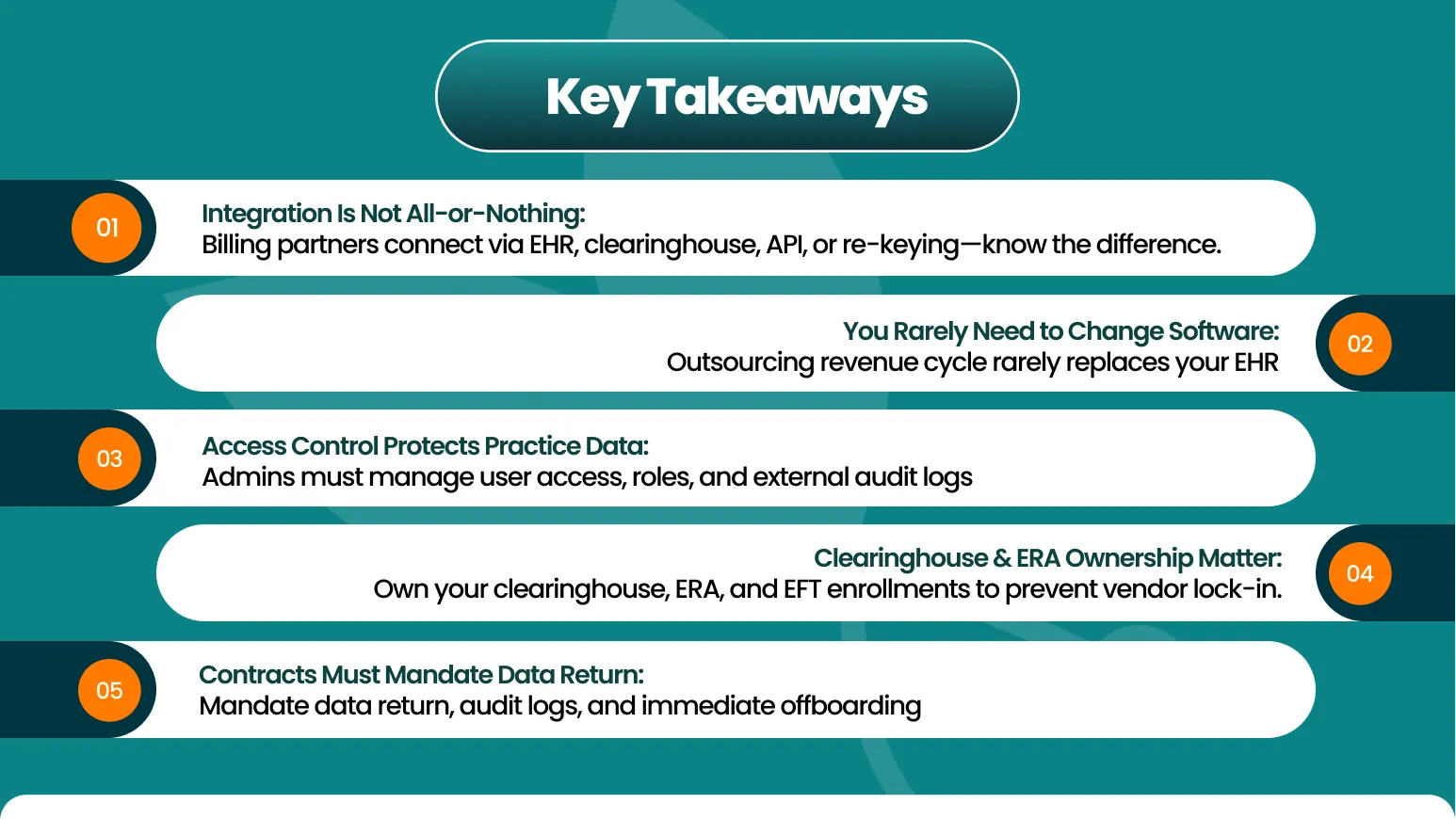
In reality, clinical groups can outsource billing without changing EHR systems. Forcing clinical staff to switch software disrupts patient scheduling, requires extensive retraining, and risks temporary revenue drops.
Instead of migrating systems, medical groups can maintain their clinical platform while establishing secure billing company EHR access. Independent billing companies routinely operate directly within a practice's native environment or interface with established practice management software.
EHR Vendor Billing Service vs Independent Billing Company
Practice leaders deciding between their EHR software vendor's internal billing service and an independent billing company must weigh key operational tradeoffs.
|
Evaluation Factor |
EHR Vendor Billing Service |
Independent Medical Billing Company |
|
Software Alignment |
Direct, native access to their proprietary software platform. |
Flexible operational models; works across multiple commercial EHR and PM systems. |
|
Specialty Expertise |
Often standardized across broad client bases; may lack deep specialty coding nuances. |
Frequently offers dedicated specialty coders (e.g., pediatric, OB/GYN, urgent care). |
|
Operational Focus |
Primary business model is software development and subscription retention. |
Primary business model is optimizing revenue cycle performance and net collections. |
|
Payer & Credentialing Support |
Often limited to software clearinghouse routing; manual enrollment management may fall on practice staff. |
Comprehensive handling of payer enrollment, credentialing updates, and local payer policy nuances. |
|
System Flexibility |
Highly restrictive if your practice operates mixed software systems after an acquisition. |
Platform-agnostic; manages workflows across disparate software environments. |
10 Questions to Ask Before You Sign
Use this vetting script during commercial investigations to expose weak integrations, security gaps, and operational limitations before executing a billing agreement.
|
Question |
Why It Matters |
Red-Flag Answer |
|
1. Which version of our EHR/PM have you worked in, and for how many clients? |
Demonstrates real-world familiarity with your specific software workflows and update nuances. |
"Our team learns new software platforms very quickly." |
|
2. Who creates user accounts, and can we view your users' audit logs? |
Ensures your practice maintains administrative control over system security and HIPAA compliance. |
"We use one master login for our whole billing team." |
|
3. Which clearinghouse do you use, and who owns the enrollment? |
Prevents proprietary lock-in when routing ASC X12 837P claims and 835 ERAs. |
"We route everything through our private clearinghouse account." |
|
4. Who enrolls for ERA (835) and EFT with each payer? |
Directs electronic remittances and electronic funds transfers straight to your practice bank accounts. |
"We manage ERA setups under our agency credentials." |
|
5. How do charges move from our EHR to claims, and how fast? |
Identifies manual lag times or potential data drops between encounter completion and claim creation. |
"We print encounter notes and re-type them into our software weekly." |
|
6. Do you post payments in our PM or in your internal system? |
Keeps your internal patient ledgers, accounts receivable, and patient statements aligned in real time. |
"We post payments in our system and send you a monthly summary." |
|
7. Will you sign a HIPAA Business Associate Agreement (BAA)? |
Satisfies mandatory federal privacy laws governing protected health information (PHI). |
"A BAA isn't necessary because we only see billing data." |
|
8. What happens to our data and access when the contract ends? |
Guarantees complete data retrieval, audit log retention, and immediate account deactivation. |
"Data return details are worked out during offboarding." |
|
9. How do you handle EHR upgrades or a future software switch? |
Assures billing continuity when your software vendor deploys major system updates. |
"If your EHR updates, any workflow adjustments incur hourly fees." |
|
10. Which financial reports come from our system versus yours? |
Prevents discrepancies between internal clinical activity and external billing performance metrics. |
"You only need to look at our custom monthly PDF reports." |
Want us to check how a billing team would work inside your current EHR? Book a free assessment.
How to Check an EHR's Certification Yourself
Before establishing interfaces or evaluating compliance, practice administrators can independently verify their software's technical standards using official federal databases.
The Office of the National Coordinator for Health Information Technology (ONC) maintains the Certified Health IT Product List (CHPL). Administrators can search the database to confirm whether their software version meets federal standards for data export, security auditing, and application programming interfaces (APIs).
Checking product certification ensures that your software vendor supports standardized HL7 or FHIR protocols, which simplifies data exchange with third-party billing services and clearinghouses.
Contract Terms That Protect You
A comprehensive service agreement must protect practice operations, data integrity, and regulatory compliance. Ensure your legal agreement includes these provisions:
- Mandatory Business Associate Agreement (BAA): Incorporate formal BAA language that adheres to HHS Sample Business Associate Agreement Provisions to establish strict PHI safeguards, breach notification rules, and direct liability bounds.
- Role-Based Account Provisioning: State explicitly that the practice retains sole authority over user creation, permission tiers, and account revocation for external billing staff.
- Audit Log Access: Require the vendor to log all user activity inside your practice management system and make these records available for periodic compliance audits.
- Clearinghouse & Payer Ownership: Specify that all clearinghouse accounts, 835 ERA setups, and 270/271 real-time eligibility verification enrollments remain the exclusive property of the medical practice.
- Data Return Upon Termination: Mandate that upon contract termination, the vendor must immediately return or securely destroy all practice data, export remaining claim histories, and forfeit system access without withholding records over billing disputes.
Red Flags When Evaluating Billing Vendors
Steer clear of billing partners that exhibit any of these critical operational warning signs:
- Insisting on Software Changes: The vendor refuses to work in your established EHR and demands that you purchase or migrate to their preferred software platform.
- Hesitation Around BAAs: The company delays executing a compliant HIPAA Business Associate Agreement or provides vague privacy assurances.
- Shared Master Logins: Billing staff request a single shared username and password to access your practice management software, violating individual accountability rules.
- Proprietary Clearinghouse Lock-In: The vendor insists on registering electronic remittances under their agency credentials, making it difficult to transition if you change billing services.
- Vague Exit Clauses: The proposed contract omits explicit timelines, format standards, or responsibilities for returning practice financial data upon contract termination.
Choosing by Specialty
Billing requirements vary significantly across medical fields. Clinical workflows, patient volume, and custom documentation templates dictate how a third-party billing team interacts with your clinical software.
For detailed breakdowns on evaluating billing providers for specific clinical environments, explore our specialty-focused listicles:
- Urgent Care: Managing high patient volume, real-time eligibility checks, and rapid claim turnarounds.
- Pediatrics: Handling complex immunization schedules, VFC tracking, and age-based coding rules.
- OB/GYN: Managing global maternity packages, split-billing, and multi-procedure surgical claims.
- Multi-Location Clinics: Centralizing financial reporting across multiple practice sites operating under distinct Tax IDs.
How GreenSense Billing Works With EHRs
GreenSense Billing delivers flexible designed to integrate directly into a practice's existing operational workflow.
GreenSense reports extensive experience working within widely used clinical software platforms, including eClinicalWorks, AdvancedMD, Tebra, Practice Fusion, NextGen, and athenahealth. Rather than forcing medical groups to adopt new software, our team adapts to your existing practice management setup to manage charge scrubbing, claim submission, payment posting, and denial resolution.
By pairing direct software support with proactive revenue cycle management, GreenSense helps practice leaders maintain full financial oversight while keeping clinical workflows intact.